Wizard Blast by Galaxy117 (itch.io)
For my top-down shooter I went with a simple zombie shooter format, the player has to shoot the spawning enemies before they attack and touch the player which results in game over.
I went for a fantasy theme rather than a modern/ futuristic warfare style because it allowed me to create some more interesting assets and try something different with styling the game.
Setup:
Game Setup:
To start I created a main Menu scene along with the main game scene, by moving the menu to the default starting scene it means the player will have a Main Menu scene appear with a prompt to click the mouse button before they are put into the game. I designed it with my wizard character in mind and used the same font through the rest of the project where it was needed.
Character Setup:
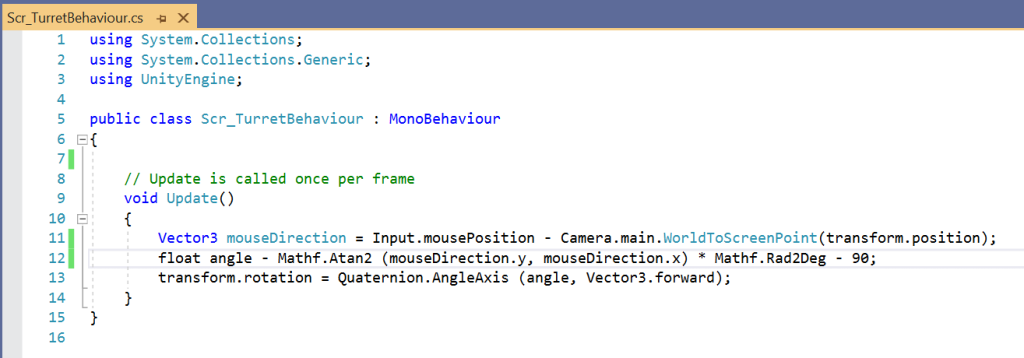
For the character I had to setup some objects and layer them to create a turret that when scripts are added functions as a moving character that shoots a projectile in the direction the mouse and character faces. This started with a box that I turned transparent. this box is the basis of the player character, and everything was added onto this.
Scripting:
Player Movement:
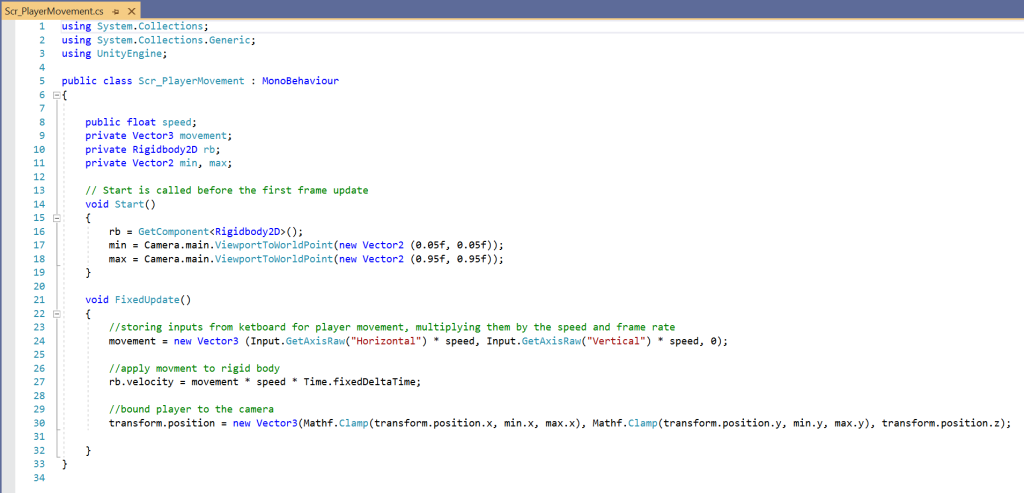
The character was built from several objects and layered together to create parent and child objects of each part. It started with a box object which contains the rigid body component and a circle collider, I went for a circle collider as it gives the player a bit more maneuverability when avoiding enemies. this also contains the script for the movement class. the Box is transparent as on top of that I placed my created character sprite.
The Next layers where a turret connected to the character and a projectile spawn location these determine where the bullet spawns and is projected from.
The player will be able to guide the character across a 2D plane, this means that they need to be able to use the wasd or arrow keys to move the character in all directions. They are locked into the camera screen and cannot go of screen unlike in my space Invader.
Target Mouse:
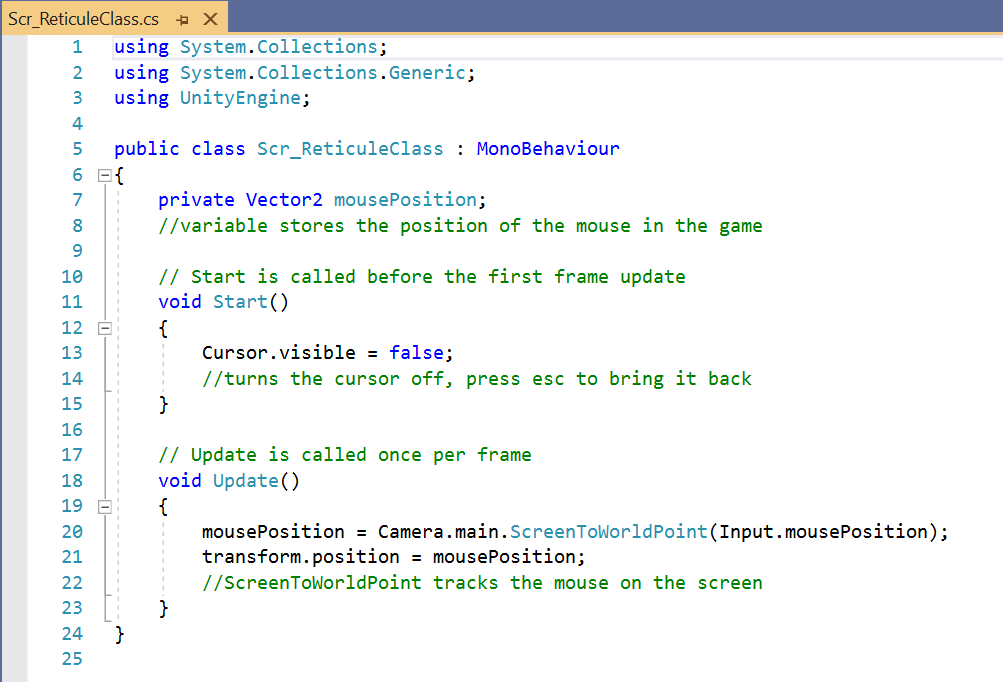
The mouse is what the player will use to shoot the spawning zombie enemy characters, I created a target reticule inspired by my wizard character design and style. The mouse cursor will disappear when the player clicks into the game and the mouse will guide the cursor across the screen.
ScreenToWorldPoint is used to track the mouse across the screen, so once the player clicks into the game and moves their mouse the target reticule will be where the mouse is, and the player will face and follow the target reticule
Shooting:
As stated, before the player has a projectile spawn location from where the projectile will be fired from, given the bullet will take the mouse position in the world and fire in that direction at a set speed. the speed and projectile are normalized so it stays at the same speed no matter the distance of the target reticule.
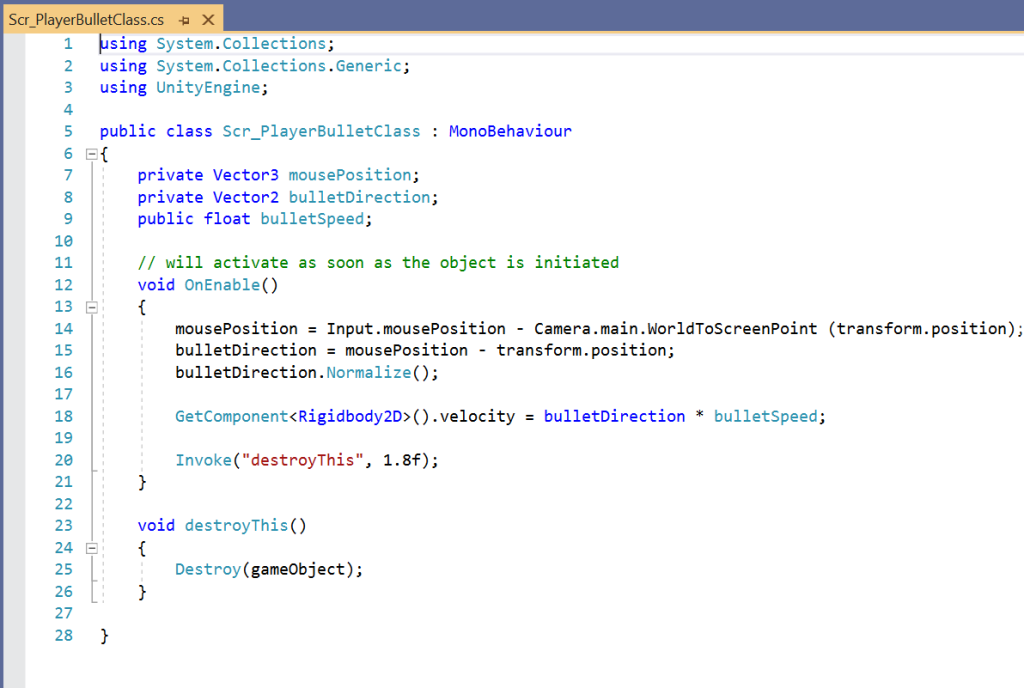
I also added Invoke(“destroyThis) which destroys the bullet after a certain time, it should be set that the bullet will reach the other end of the screen when before it is destroyed.
Enemy:
The Enemy is scripted to locate the player on the screen and navigate towards them. I set up a spawner that will spawn either of the 2 enemies I have created and spawn them at different points outside of the game world.
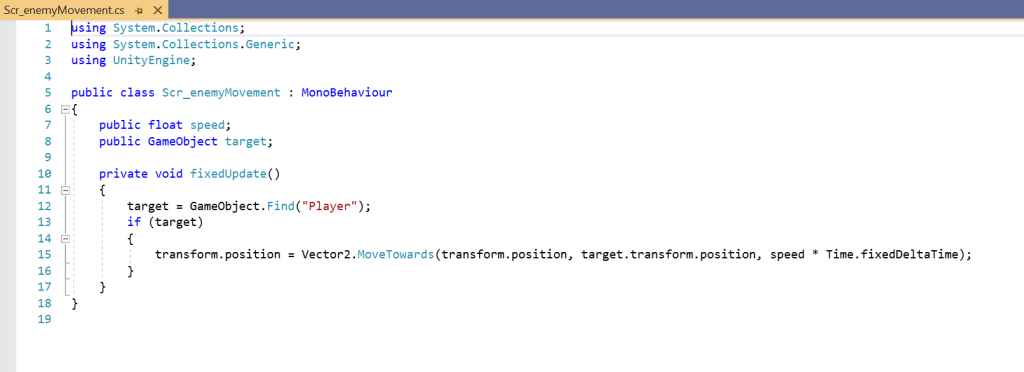
There is a public variable for movement speed that means that neither of the enemy types has the same speed value and same goes for the score value that the player gets when they destroy the enemy.
If the player collides with the enemy character, they will the player will be destroyed and after a second a button will prompt the user to play again if they want. I also added a particle affect that creates an explosion the same colour as my projectile when the player shoots an enemy or an enemy collides with the player
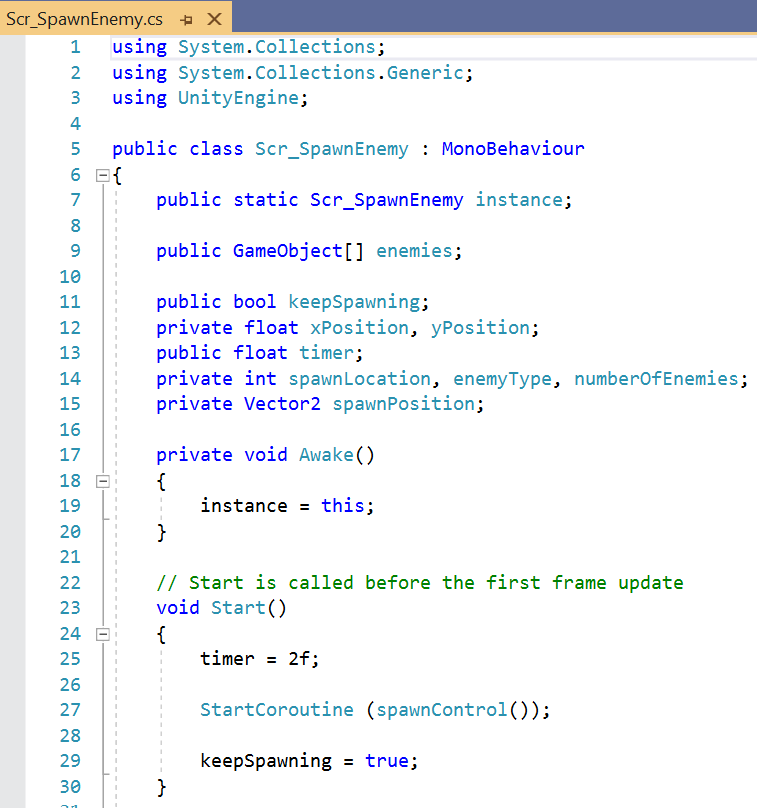
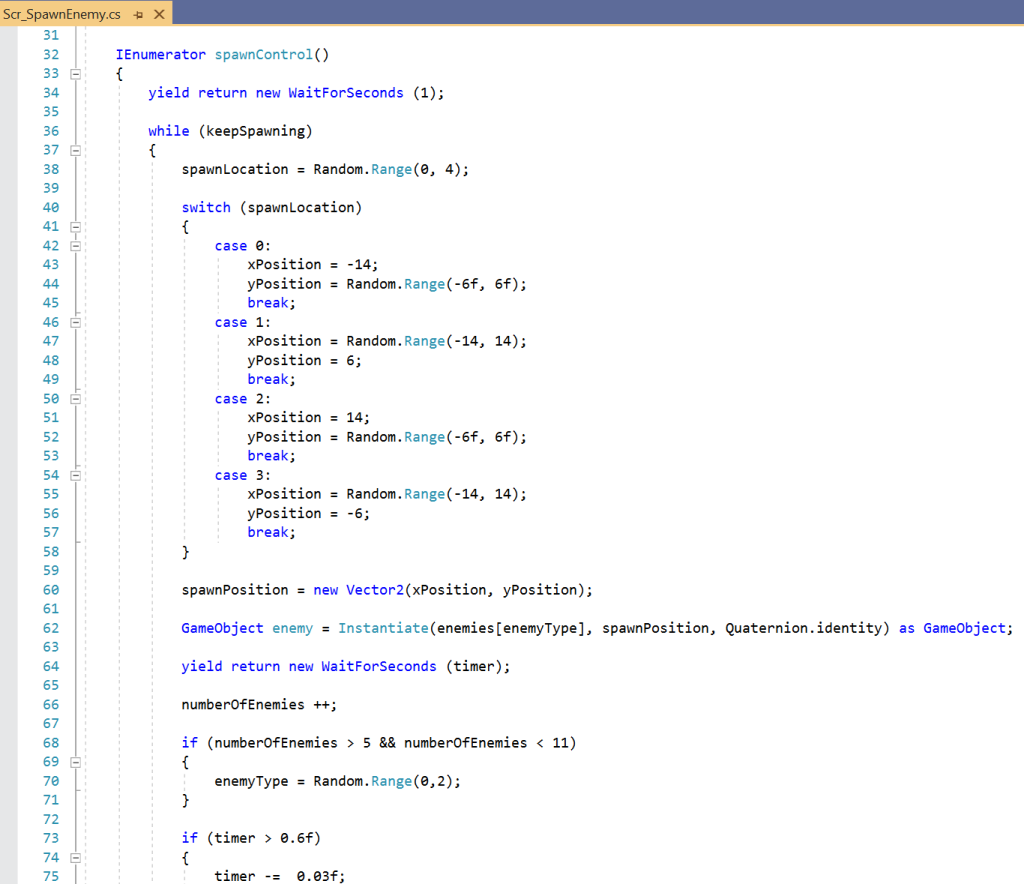
Score:
When the player shoots a projectile at an enemy, the player will be able to get some score depending on the type of enemy they destroy. There are 2 types of enemies in my game each with a different score value.
I created a script that holds a variable which is attached to each enemy type. these types have their own score as the variable is public. This script can be called into another script to store and calculate the players score.
The script is also linked to a UI Text meshpro-object that increments every time an enemy character is destroyed, it will increment depending on that enemies score value.
FMOD:
Within FMOD I created 3 timeline events for the sounds I would input into the game. The first was for music which I added a loop to a track which has sudden changes for tense moments for example if the player starts to become overwhelmed by enemies.
I then needed sounds for the player relating to their movement and shooting ability. because the character is a wizard a source 3 different fire sounds that are in a multi-instrument and have varying chances of playing. I then created one for the footsteps of the character which will play whenever the character moves. The footsteps are there but do not play as the scripting is tabbed out, this is because I had a problem when implementing the scripting where the audio plays all of the sounds in the multi-instrument at once whilst the player is moving.
Finally I needed an event for my enemy zombie, I created my own zombie grunts and noises that will play at random intervals and they will also have some steps playing but more irregularly and less frequent then the player.
Possible Improvements:
Personally, there are a few elements that I would like to add to improve the game. But, given it is the one I had the most trouble with and the last game I will complete they aren’t something I can implement straight away.
Enemy Types:
I would like to look into adding a 3rd enemy character that possibly takes more hits to destroy then the previous enemies I have, to balance this out he could be bigger and move much slower than the regular enemies. thought it might add another level of challenge and make the game more interesting to play.
I would have also liked to have added a rotation in my enemy spawn script, so the enemies face the player character when they spawn in, so they actually look like they are chasing the player.
UI:
whilst I have a score that links to a textmeshpro object to display the player score, maybe it would have been a good idea to design a small user interface that surrounds that text object and adds to the game world, I could do something in a similar design to my target reticule and have it in the top left corner, so it is out of the way of the player.
FMOD:
I could possibly look at adding additional events into FMOD to create a more interesting and interactive sound for my game, I could use faders or some spot effects to FMOD studio. I could possibly add some stingers as well to add so intensity to my audio.
Tile Map:
This is Something I created in my space Platformer game, I would create a 2d tile palette in the hierarchy and that would allow me to paint into the scene a created tile palette. I have created a Tile Palette form my game, but the tiles don’t match up very well and I would like to some variation in terms of the middle parts I have. It would make my game more interesting and visually look better than having a plain colour background.