Here I will develop my basic ideas into some animation concepts, and explain where I might be able to apply and use some of the principles of animation. I will also have some test animations using keyframing for different objects and provided character rigs to help develop reference for movement and practice some ideas.
Animation Concepts:
With some basic ideas in my head, I worked to make a few more concrete ideas that I can work with as animation starting points. I can then limit them down to the best 3 that work with my character model.
Idle Animation:
For my first idea I looked over the assets and environment I created for VFX. I wanted to be able to use some of the props I created and started with the book. I thought that I could look at having the character approach a podium and pick up the book, then they can flick through a few pages before putting it down and walking away.
I want them to be a little bored and uninterested with the book as she would rather outside exploring because of her energetic nature.
Staff Walk Animation:
For the second I wanted to make use of the staff, Similar to the movement and idle animations that Lux has , I would want the character whilst walking to spin the staff and possibly pass it between their hands with some possible effects of magic emitting from the top of the staff or the characters hands.
I would like it to appear playful and energetic as that is how my character would move, so maybe they might have a slight skip to their step rather than being flat on their feet.
Staff Attack Animation:
With the staff attack I would like to use both exaggeration and anticipation to help create an atmosphere that it is a powerful attack. I could have the staff spin creating this wide sphere of attack with the character possibly levitating of the ground to show that they are channeling large amounts of energy into this attack.
I gathered a few videos of magic powers from films and games to draw inspiration from and help influence the characters movement.
Wand Attack Animation:
Similar to the above animation. I could use the wand I made rather than the wizards staff. Again I can exaggerate the movements to help add suspense and power to the attack. As a first point of reference I can look at the movement of actors within the world of Harry Potter and all of its films and games to get a few ideas.
Foraging Movement Animation:
Finally, as part of my characters description and design, I added a small pouch for there belt that could be used to forage for plants and other materials that can be used in potions and spells.
So I could have the character wander around a small area in maya and collect some objects that they can place into their belt pouch. One game that I know does the same Is Red Dead Redemption 2 as there are animations for collecting and pocketing plants and small animals that varies depending what goes into Arthur’s bag.
Maya Keyframing:
Before rigging and creating animations for my character , as a class we looked over some of the key tools we would need to use, by animating a bouncing ball using keyframing.
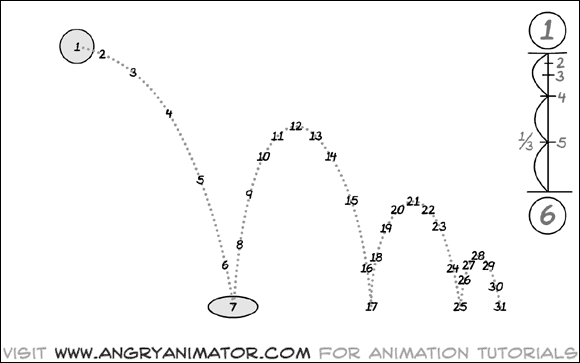
Keyframing basically sets the position of an object at a set period of time and by keying that value to a set place. the value is held there and Maya interpolates and moves the object between points.
This is done by saving the values of the ball at different points along the timeline at the bottom of the workspace. from there we can polish and develop the animation further by using the animation graph.
The animation graph as seen above Is used to polish and smooth transitions between the keyframed points of animation. By playing with these values we can have either a harsh or smooth drop depending on the style we want to create and the object in question.
here the smoothing of the translation Y curve smooths out the position changes between points to give the ball more of a bounce.
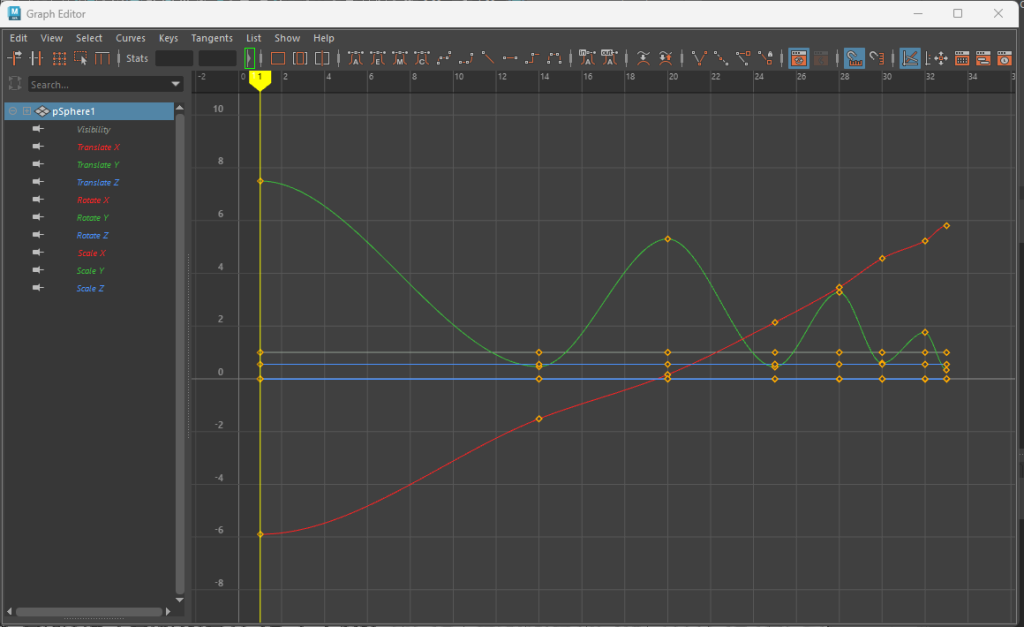
By using the graph we can also manipulate over values such as rotation and size so that when the ball hits the ground we can use squash and stretch to make it feel more realistic and exciting to look at.
Character Rig Animation Test:
I then moved onto using a pre-existing character rig to create a basic walk cycle.
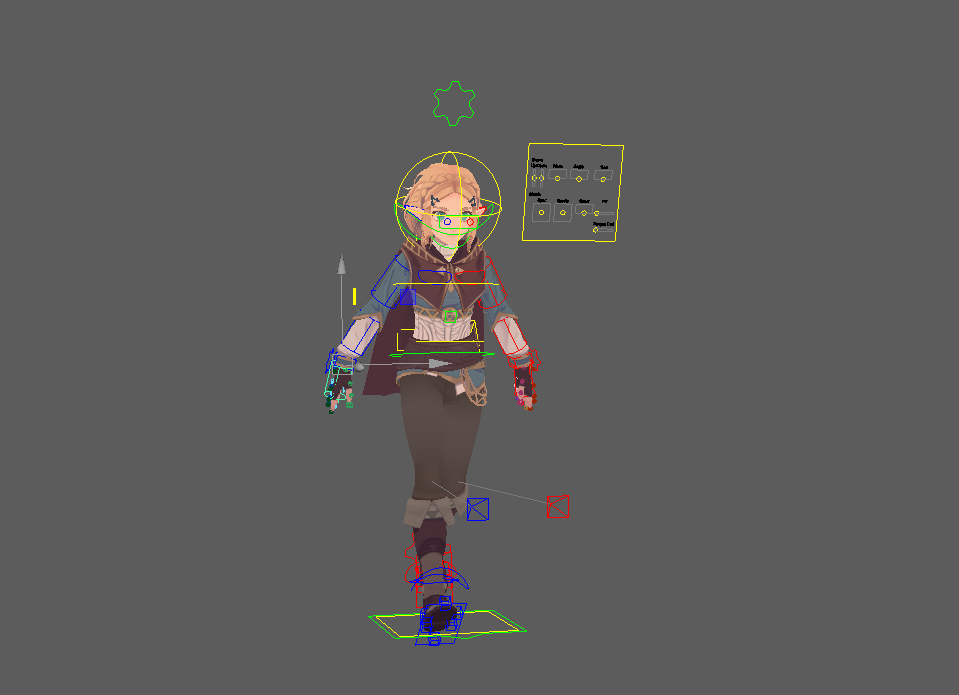
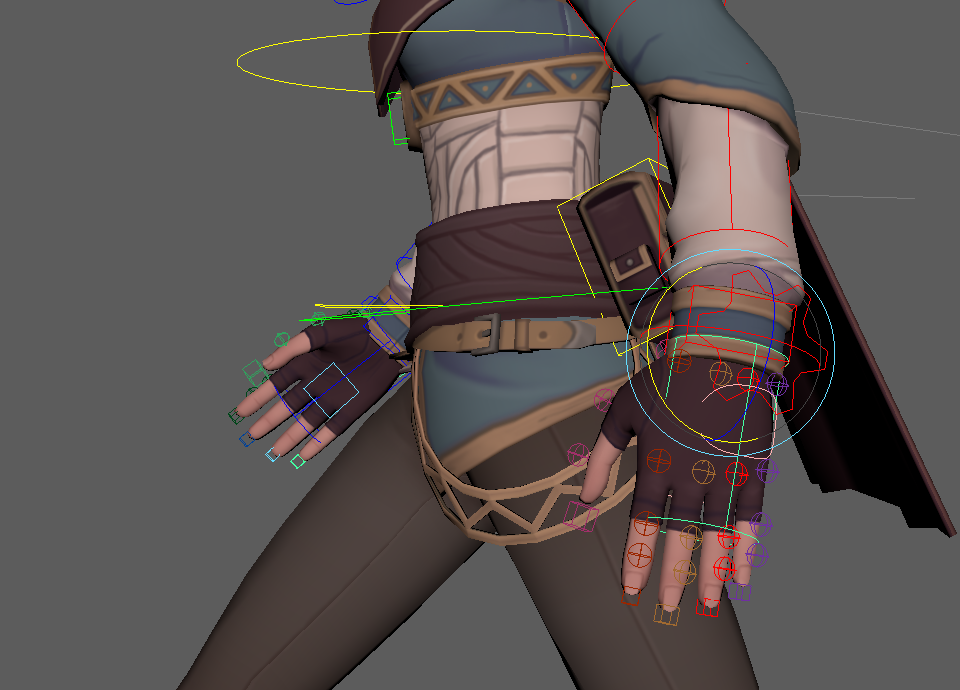
Character Rigs in Maya have controllers for the joints that when moved manipulate all of the weighted bones within the mesh. These controllers can be manipulated and keyframed at points to mimic movement.
Starting with keyframing the legs I used the image as a reference to start to build a basic walk cycle. I eventually went back and changed some of the values to smooth some of the transitions and stance of the character on the key points.
I then moved onto animating the arms and hands to make them swing in an arc like motion along with the rest of the body. To do this I changed to arm rigs from Forward Kinematics (FK) to Inverse Kinematics (IK).
Forward kinematics is what I have been using to animate the legs, I means that by moving one bone will affect the others around it so that they all move to a point.
Inverse kinematics makes use of mathematics and works backwards. by taking the end point and moving all of the bones before it to create smooth arcs. It is more commonly used when a character is picking up or holding an object in their hands.
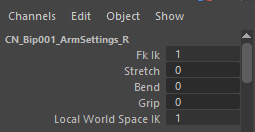
I started with the extreme poses where the arms are at their furthest away from the body (points 1, 13 and 25) from there I began to work on the in-between areas, making use of copy and paste to have the arms in similar locations across the whole animation. By keyframing them on the same values as the leg movement I could get a basic idea as to how a character would look with a basic walk animation.
Finalized Concepts:
With some early testing and a general idea of how Maya uses keyframing to animate movement, I can better judge and finalize my earlier animation concepts into 3 ideas that I will carry forward.
I have recorded a quick test of myself performing the actions to get an idea as to how the human body would move when performing these actions in a similar way to what I want the final piece to look.
Idle Book Animation
The Idle animation ,where my character picks up and has a quick look through a book, was one of my first ideas, I would like to explore and see how I could show her personality through the movement and facial expressions I can animate.
The keyframing for this will be relatively simple but should create something that is effective when polished.
Staff Walk Animation
I liked the idea of creating a walk animation to show some of the traits and personality that my character has. I could possibly have her slightly skipping rather than being flat footed and constantly moving the staff to show she is energetic and feisty.
I would like to have the staff be spun round similar to the idle and movement animations that Lux has in League of Legends. But it is something I can explore and develop when I start recording to see how a person would act out these movements.
Staff Attack Animation
I decided to go with the staff over the wand as I believe that I could create a more convincing and powerful attack with the staff rather than the wand.
With the staff I can have the character levitate and charge up the attack before release, with lifting of from the ground I can experiment and test some ideas as to how the body of the character might move to accentuate and emphasize the power that is being put into the attack.
Again I can look into adding facial animation to either have my character muttering an incantation or scrunching their face up as a way of showing they are exerting force.
References:
League of Legends Wild Rift, Riot Games (2020) League of Legends Wild Rift – Cinematic Trailer [Video] Available Online: You Really Got Me | Cinematic Trailer – League of Legends: Wild Rift (ft. 2WEI) (youtube.com) [Accessed 30/01/2024]
Krats, Riot Games (2023) Lux – All 3D Animations [Video] Available Online: Lux Preview | All 3d Animations | Intros, Idles etc 🎧🎶 (youtube.com) [Accessed 30/01/2024]
Industrial Light and Magic (2017) Behind the scenes of the magic affects in Marvel’s Doctor Strange [Video] Available Online: ILM: Behind the Magic of the Time-Warp in Marvel Studios’ Doctor Strange – YouTube [Accessed 03/02/2024]
My Random Clips and Videos(2023)Warcraft Khadgar magic power clips [Video] Available Online: Khadgar | All Powers – YouTube [Accessed 03/02/2024]
Aggrogamer (2023) Motion capture and animation footage of Hogwarts Legacy [Video] Available Online: Hogwarts Legacy — MoCap & Animation Roundtable (youtube.com) [Accessed 03/02/2024]
Tyrannicon (2018) All plants and herb locations in Rockstar’s Red Dead Redemption 2 [Video] Available Online: Red Dead Redemption 2 – ALL 43 PLANTS & HERBS LOCATIONS! (youtube.com) [Accessed 04/02/2024]
Warner Brothers, Harry Potter. (2022) Hogwarts Legacy gameplay showcase 2 [Video] Available Online: Hogwarts Legacy – Gameplay Showcase II (youtube.com) [Accessed 04/02/2024]
Sibpalki m.a (2020) Staff spinning tutorials [Video] Available Online: Bo Staff ** 17 SPINS ** Tutorial (youtube.com) [Accessed 23/02/2024]
VFX Apprentice (2015) Star guardian Lux ultimate animation. [Video] Available Online: Star Guardian Lux’s Ultimate VFX – Behind the Scenes (youtube.com) [Accessed 23/02/2024]
Parry, K. (2018) 100 different ways to walk [Video] Available online: 100 Different Ways to Walk by Kevin Parry (Animation Reference with Music) – YouTube [Accessed 03/03/2024]