The particle effects I build within the Unreal engine are an essential part of the assignment. All of the particle affects I construct and test will be created using the Niagara system in Unreal Engine 5, or be created as part of postproduction.
I created a quick list of some of the effects I wanted to explore and create within my cutscene;
- Fire
- Rain
- Lightning / static electricity
- Snow
- Floating runes / magic
- Falling books
- Water / Potion mixtures
- Glow / explosion of light (magic)
The runes and magic for the book and staff are something I can look at in post- production as I would like to try and draw them into the scene to make them more random and unpredictable as the magic flares off of those objects.
For the remaining visual effects I can use the Niagara particle system, Unreal’s material system and blueprints to create the desired affects I want in my scene.
Particle Effects:
Fire –
I started with a fire particle system. With the environment I am using I wanted a stylised effect rather than something that is similar to the base fire particle system that is available in Unreal.
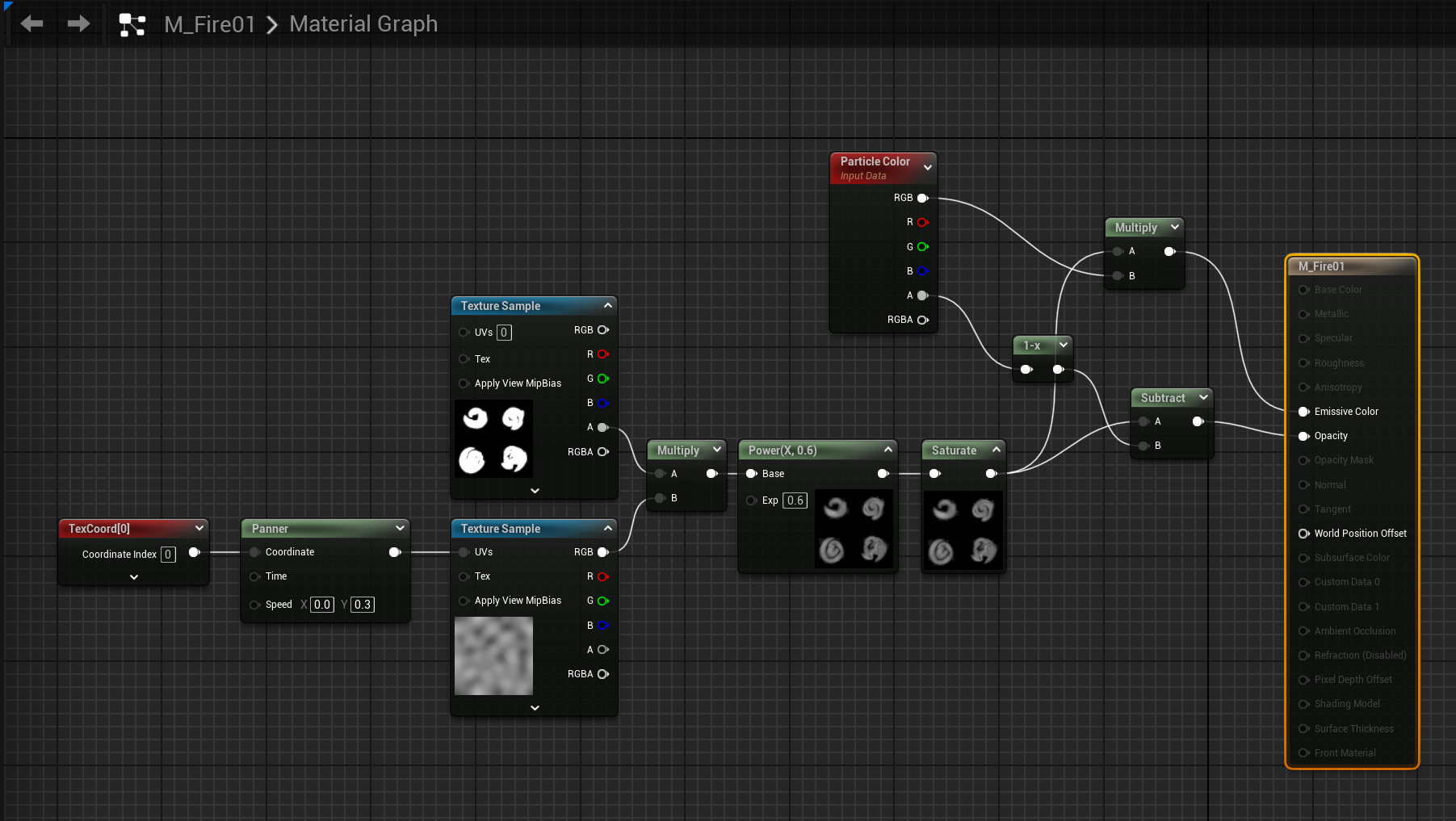
I found this tutorial, that allowed me to download a created texture for free and use it to create the desired fire effect for my scene.
I started by creating a material following the tutorials directions, this material will be applied to the Niagara particle system and will be what the spawned particles appear as. The colour is something that I can change overtime on the article system so having it as opaque in the material isn’t an issue.
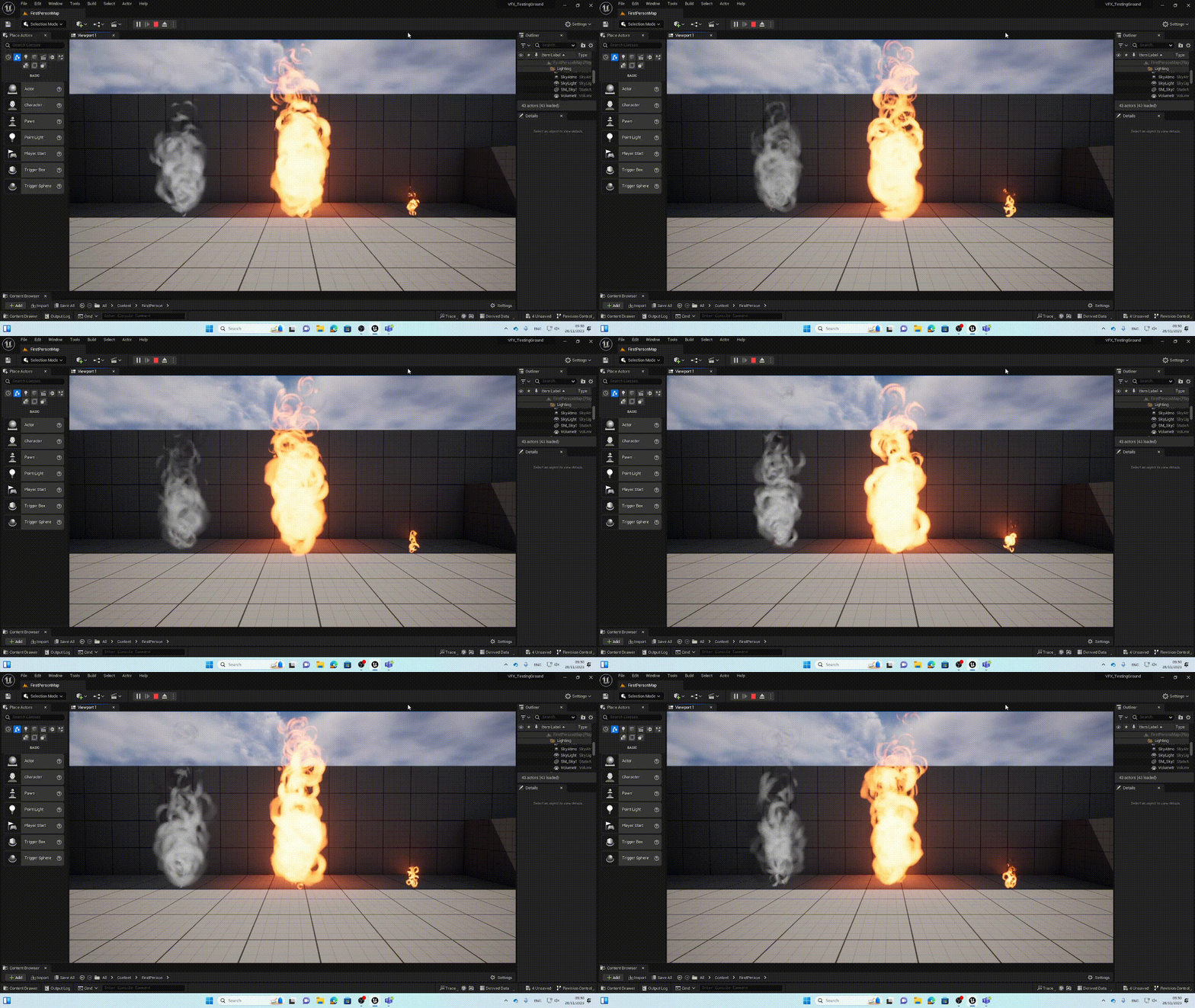
Once I had the emitter set up I could duplicate it to create some smoke within the same particle system. I also duplicated the system twice and modified the spawn rate, size, colour and emitter shape to create a small flame for a candle or torch and a pure smoke system that all use the same base material.
Snow –
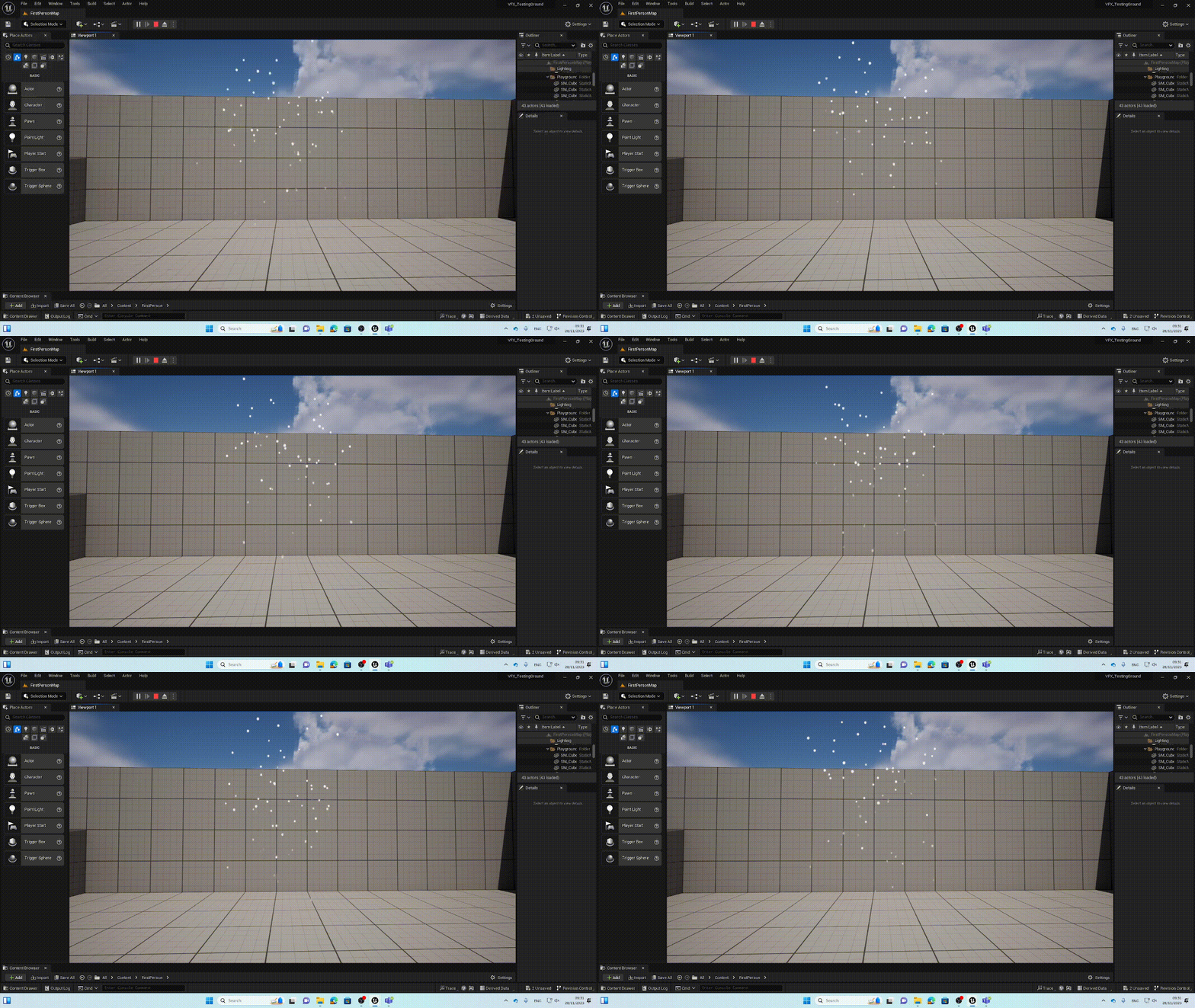
Snow is something that is relatively easy to create as a particle system. It doesn’t require much tweaking of the base fountain particle system as the particles that are emitted in the base system look a lot like snow anyway.
There are only a few things that needed to changed the first being the speed and velocity of the system setting it into negative values so that the particles move down instead of bursting up and then falling due to gravity. From there I can manipulate the size of the emitter so that the snow will spawn in a wider area.
Next by changing the spawn rate to fit the area of the emitter and changing the gravity from its base value of -980 to something smaller like -25, the particles fall slower and mimic snow. Finally I changed the lifetime minimum and maximum values so that particles will de-spawn just before or after they hit the ground.
Lightning –
The lightning effect I built was done using a document created by Epic Games and Unreal. It shows how to create a beam effect using Niagara. This beam, can then be attached to an object in the game world and be moved around with the particle system creating an arc between the two points.
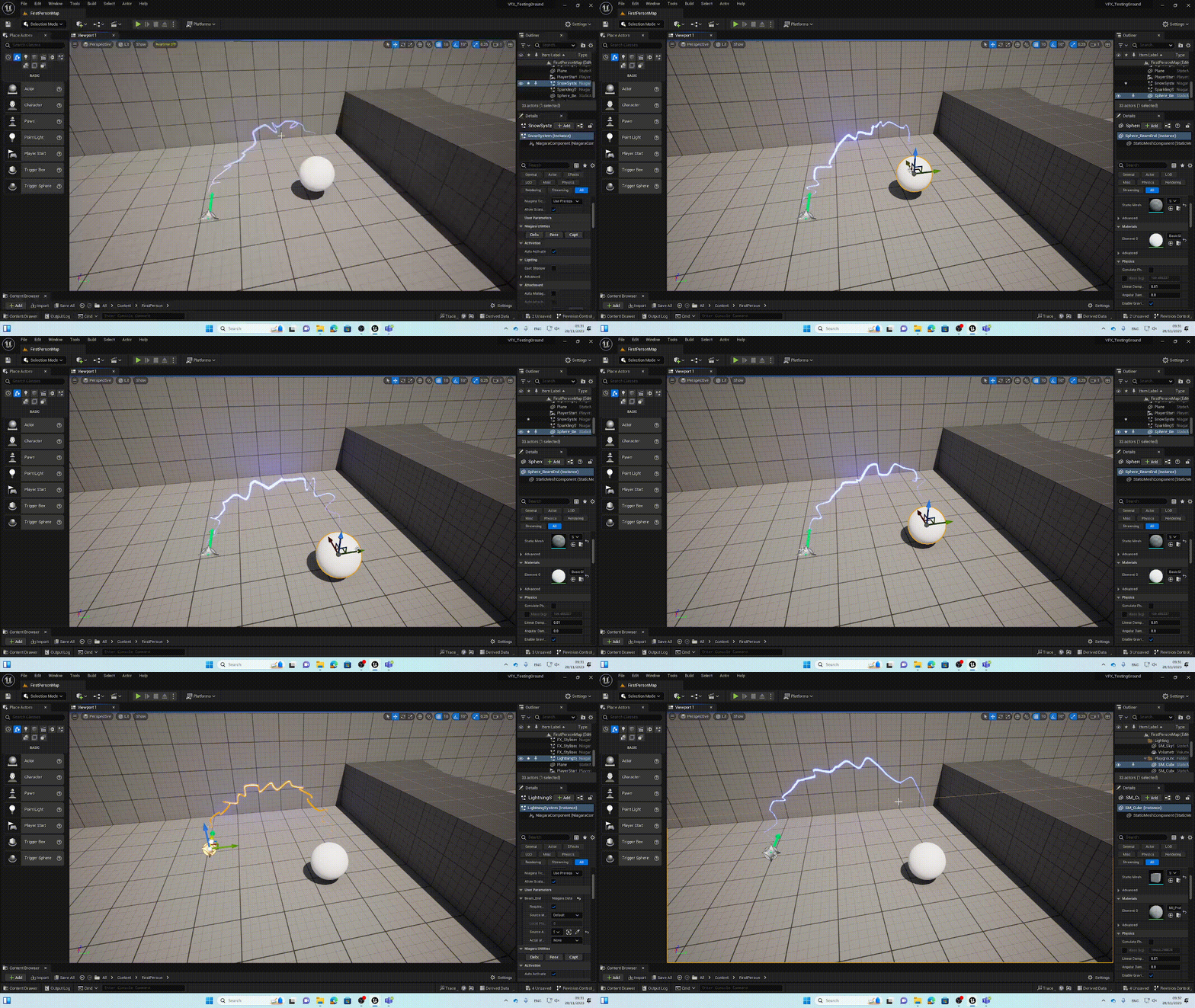
By creating a static beam emitter from the Niagara particle system menu. I set up the particle system to use a default material and set curve tension to .5 (This sets how spikey the arcs are).
From there I followed the documentation to change the emitter update settings. giving the life duration a random float value which give some randomness to the duration. I then adjusted the colour and particle size in particle spawn and update.
Finally I attached the end point of the emitter beam to a basic sphere shape. By setting up an user parameter that a mesh can be attached too.
Water –
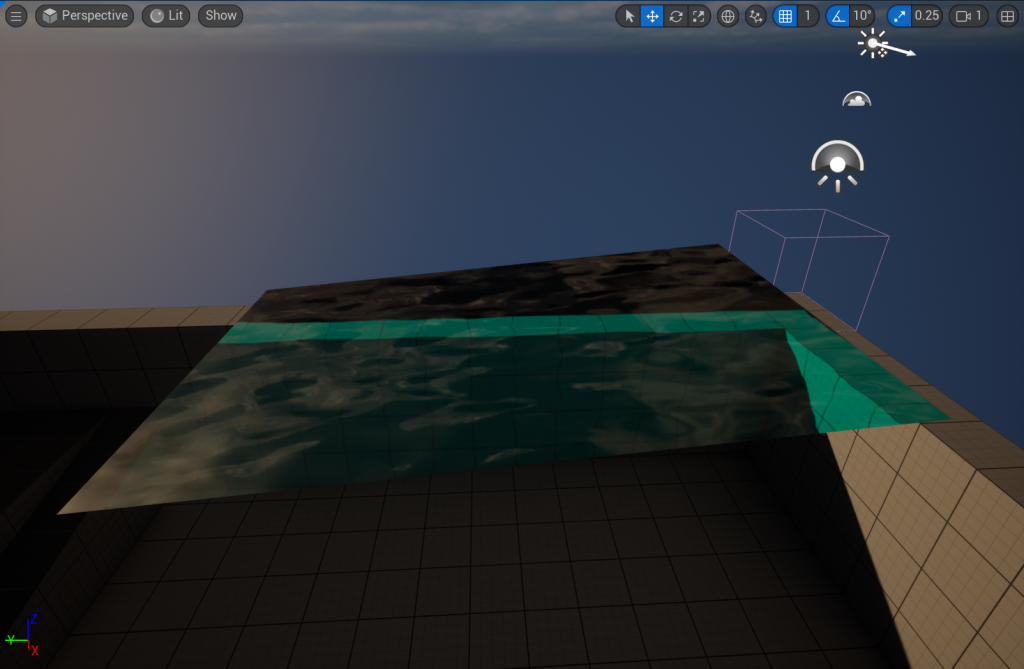
Water is something that I wanted to look at for the level design environment as well as, being something I would like to incorporate into the design of the game cutscene. This was mainly created by a material being applied to a plane to create some slight ripples and a change of colour in depth
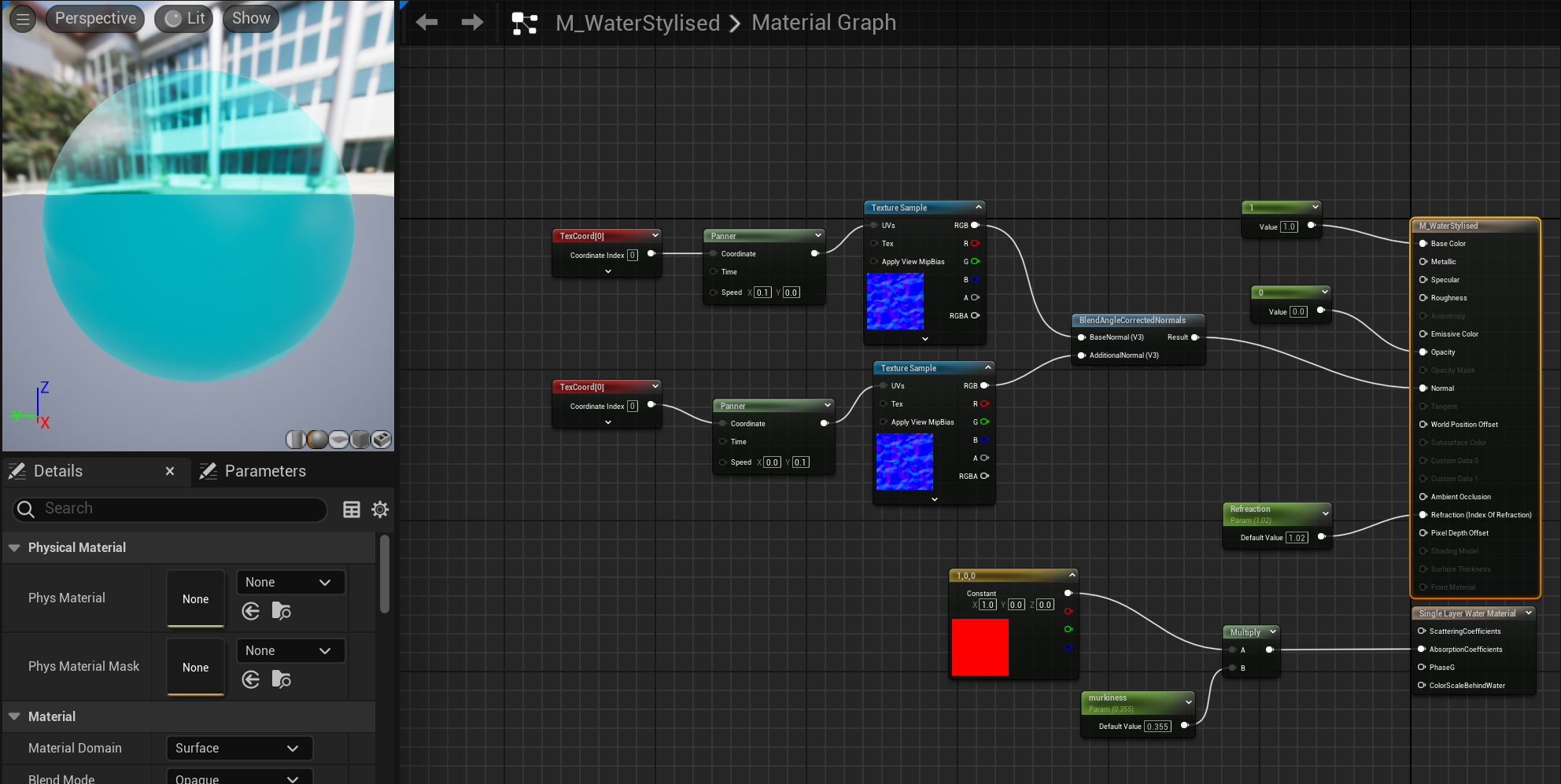
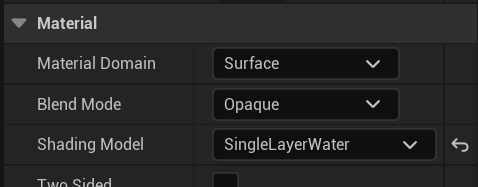
There is a pre-set for creating water as a material in Unreal by setting the main node to surface, opaque and single layer water. it adds a new node that is used to create realistic water.
By plugging in re / orange colour into this single layer water material node, it will automatically filter out that coloured light from the light spectrum to give water its blue colour. by adding in some more variables we can increase this filter so that it is stronger at depth.
I also added some texture samples with panners attached to create the ripple effect on the waters surface
Glow –
This is something I can add to the book, staff and other objects within the environment that could have some magical abilities. It is also an effect that I can use in my level to highlight certain objectives or collectable items like keys that the player may need.
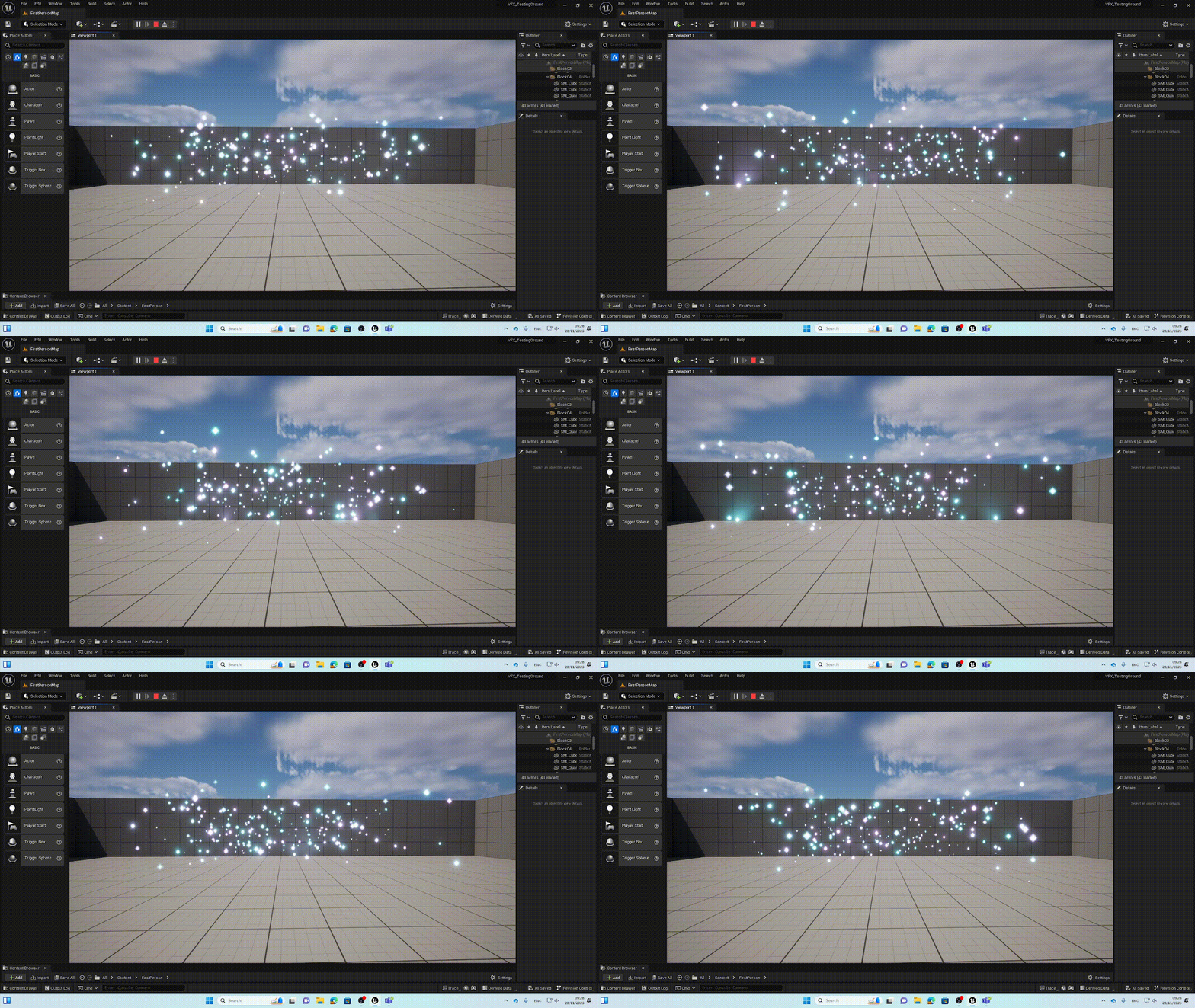
I started with a material instance that will allow me to set the colour of the particles so that they change over a duration of time as well as set the particles to a diamond shape.
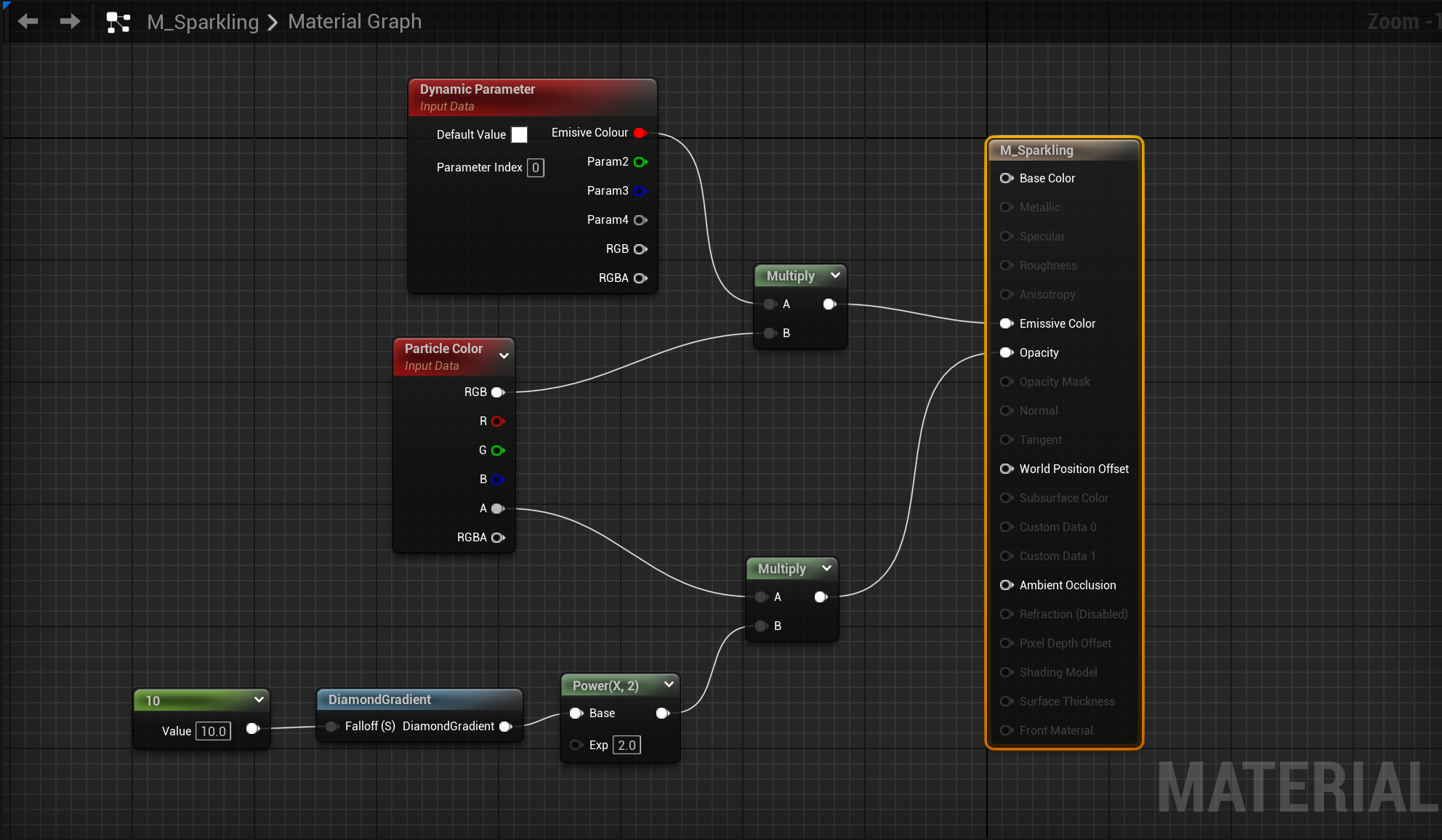
Using a fountain particle emitter I set the emitter to a box and changed the shape. I deleted the gravity and added a dynamic material parameter to give the particles a base colour.
For the shinny colour I set the scale colour to linear and added random range value to give the particle emitter 2 colour variations that it can choose from.
Sourced Assets:
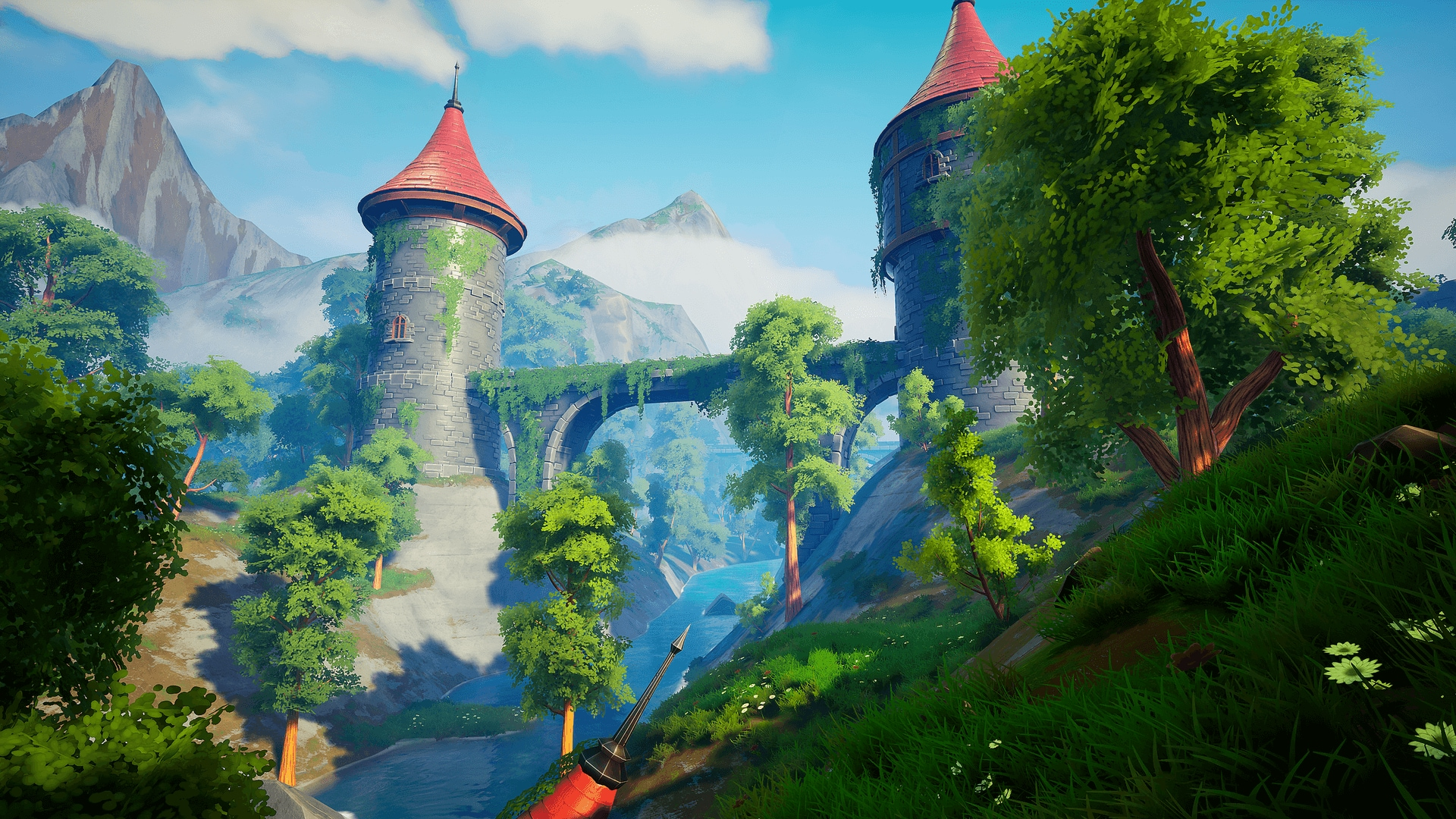
Whilst I was creating my visual effects I found a stylised environment pack in the Unreal store that I am going to use for the layout of my scene. The pack itself has some module parts that I can use to build the top floor of the tower as well as some props like bookcases, tables and chairs.
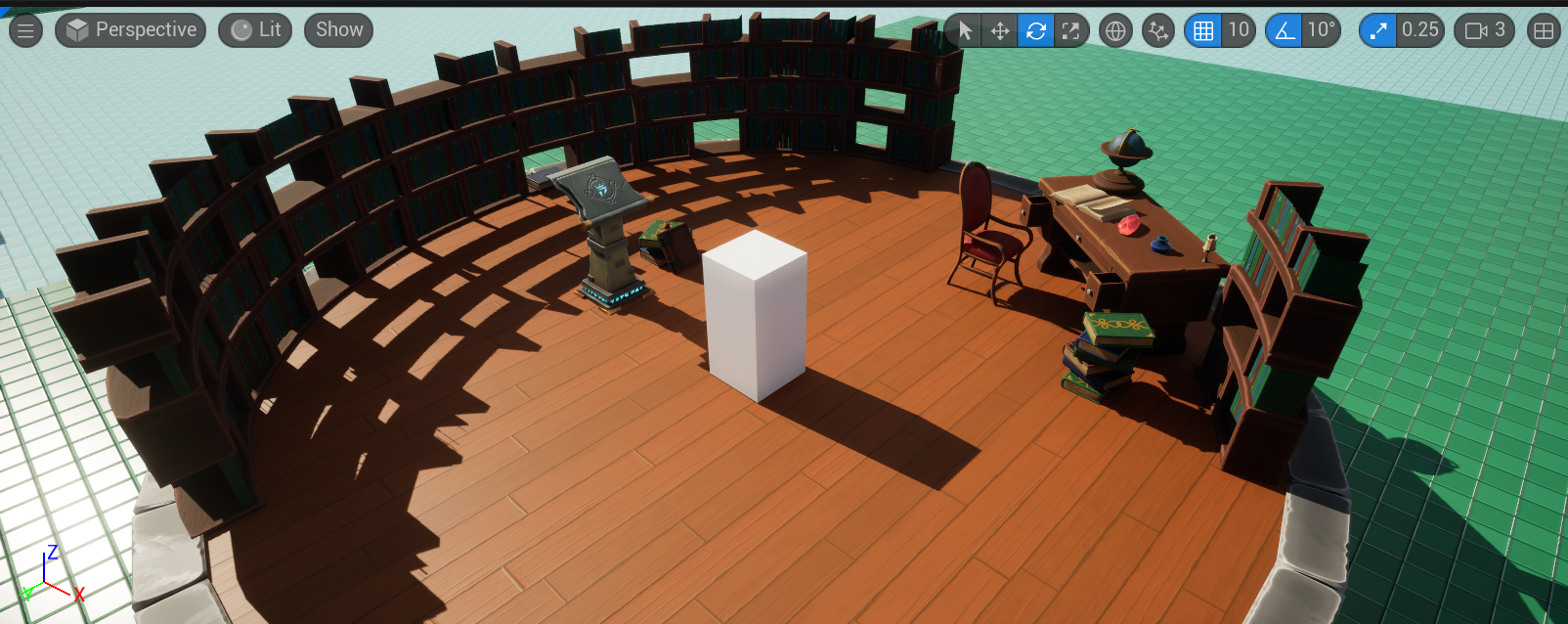
When experimenting with the asset pack in my level design project I found that the assets aren’t scaled to the default character size that unreal has, as shown by the white block in this test scene layout. I will have to find a hight that I think works and have the camera staged from there when I start to record each part of the scene.
References:
Coreb Games (2022) UE4 Simple & Advanced Spark Lightning Effect [Video]. Available Online: UE5 l Sparkling Particle l Niagara VFX Tutorial l Unreal Engine 5 – YouTube.
Matt Aspland (2022) How To Make Snow In Unreal Engine 5 Using Niagara (Tutorial) [Video]. Available Online: How To Make Snow In Unreal Engine 5 Using Niagara (Tutorial) – YouTube.
Quiskeya Studio (2022) UE5 Simple Stylized Fire FX Tutorial | In 10 Minutes [Video]. Available Online: UE5 Simple Stylized Fire FX Tutorial | In 10 Minutes! – YouTube
Stylised Station (2022) your first water shader [Video]. Available Online: your first water shader – YouTube
Unreal Engine (2023) How to create a beam effect in niagara. Available Online: How to Create a Beam Effect in Niagara for Unreal Engine | Unreal Engine 5.3 Documentation
Polyart Studio (n.d) Dreamscape: Stylized Environment Tower – Stylized Nature Open World Fantasy asset pack Available Online: Dreamscape: Stylized Environment Tower – Stylized Nature Open World Fantasy in Environments – UE Marketplace (unrealengine.com) [Accessed 24/10/2023]
3dzm (2020) Autodesk Maya _ 3D Modelling Stylized Magic Staff in Autodesk Maya [Video] Available Online: Autodesk Maya _ 3D Modeling Stylized Magic Staff in Autodesk Maya – YouTube
MH Tutorials (2014) Maya tutorial : How to model an Open Book [Video] Available Online: Maya tutorial : How to model an Open Book – YouTube