Space Platformer by Galaxy117 (itch.io)
Platformers are a very common type of 2D game they require the player to move around and make their way to a point where they have completed the level. This is either done by moving across a map or moving up or down. Often the player will encounter objects such as enemies or powerups that they will have to avoid.
With that in mind when creating my Platformer game, I decided early on to go for a space/ sci-fi theme and style. I know from having an experiment with Unity and watching some tutorials that the jump in the Unity engine can be quite ‘floaty’ so rather than code that out I made it a feature of the game, the ‘floaty’ jump makes for some interesting gameplay.
Setup:
To start I created a particle effect similar to the one I created for my Space Invader game, given it is a similar genre and style I thought it would be something interesting to add to the game world.
I then setup the tools I would need including the tile palette and animator. the tile palette will be used for painting the platform block onto the canvas in straight lines, it is much easier then dragging in several blocks to then be combined as a platform. The Animator will allow me to animate the different forms I have for my character and enemy
Animations:
This is the first game I will have created where the player will be able to see a human character actually move across the screen so rather than have them floating in a still animation, I decided it would be more engaging for the player to see the character actually move across the screen.
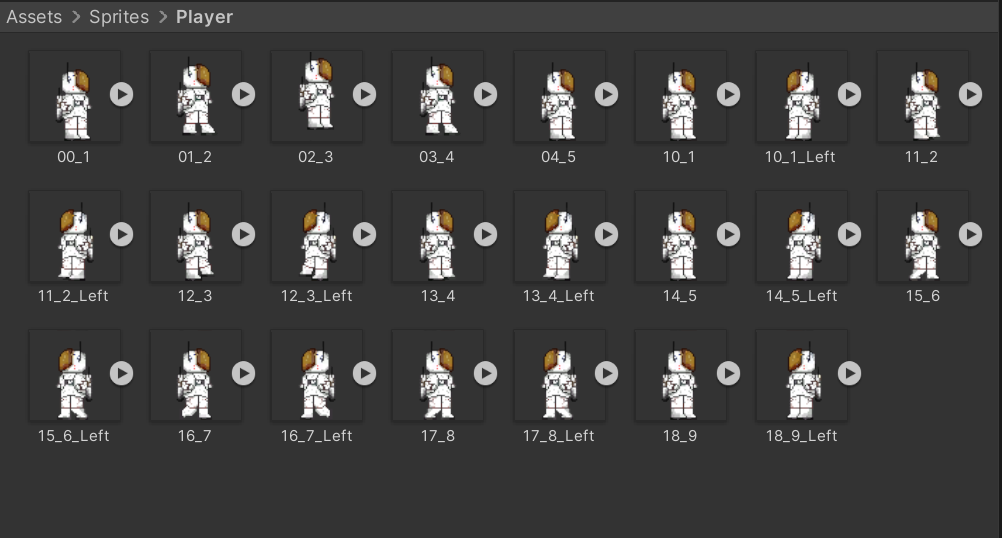
So, I created several different versions of the character so he could have an Idle animation that plays when no keys are pressed by the player and a walk animation for left and right as they are the only directions the player will be facing when moving in a 2D environment.
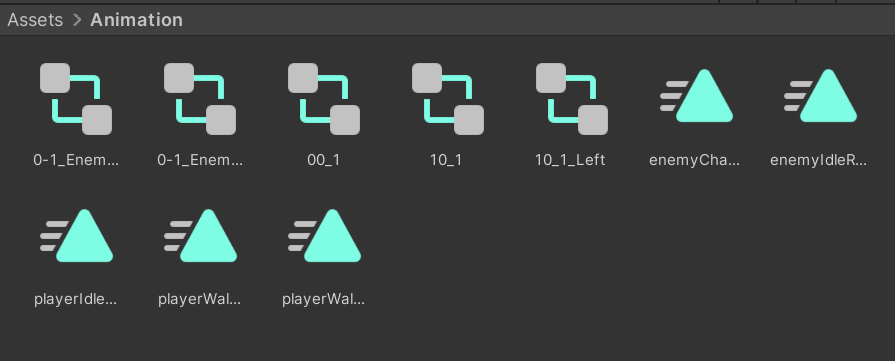
Once I had created the animations, they were stored in an animation file, these animations are what will be played when the character is moving or in its idle state, the same goes for enemy character and its idle animation.
Scripting:
Player:
The player will need to move the character left and right and be able to jump so they can make their way around the platforms in the game. I gave the player character object a dynamic rigid body, so he is affected by gravity and a 2d box collider that will detect when he collides with enemies and the spike trap.
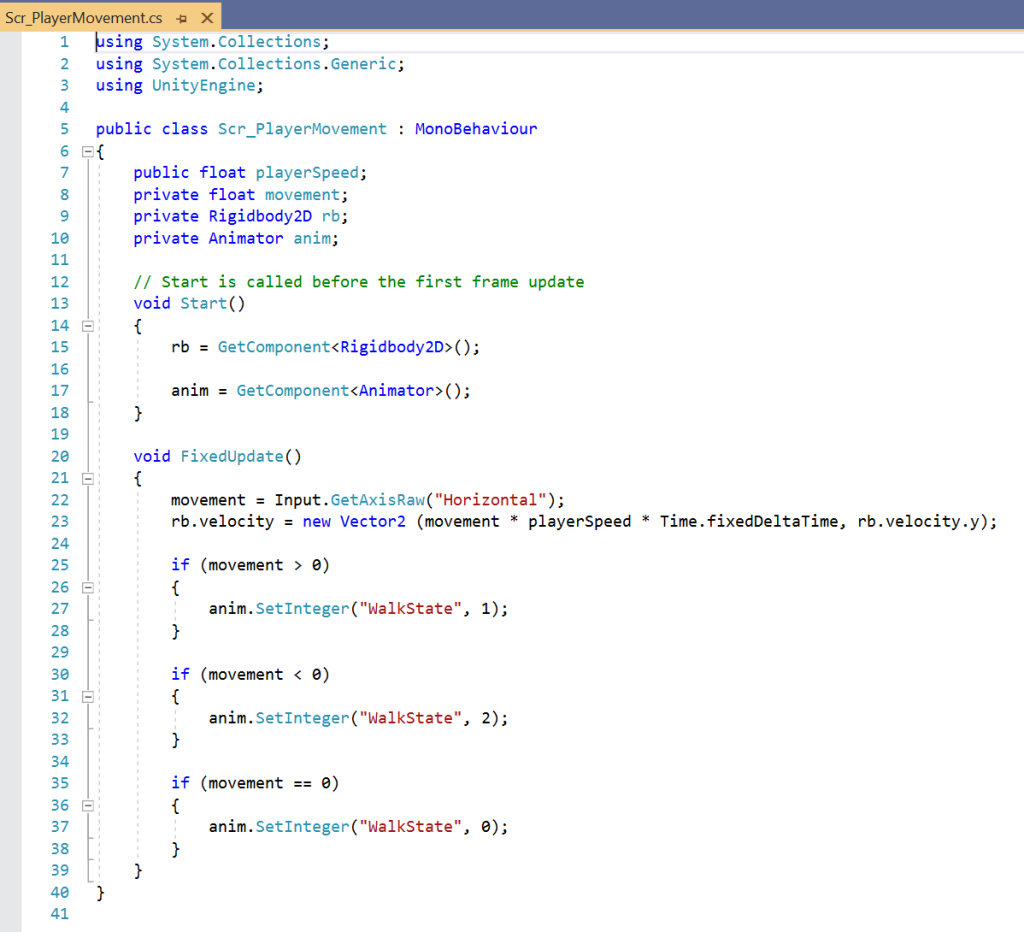
I started with movement, I created variables movement and playerSpeed, these variables are to get the position of the character and allow movement.
The rigidbody and animator are variables which when a button is pressed will change the look of the character to the animations for left and right movement depending on which key is pressed, if no keys are pressed the character will default to an idle animation.
I then created scripted a player jump separate from the normal movement to make it easier to debug and find errors.
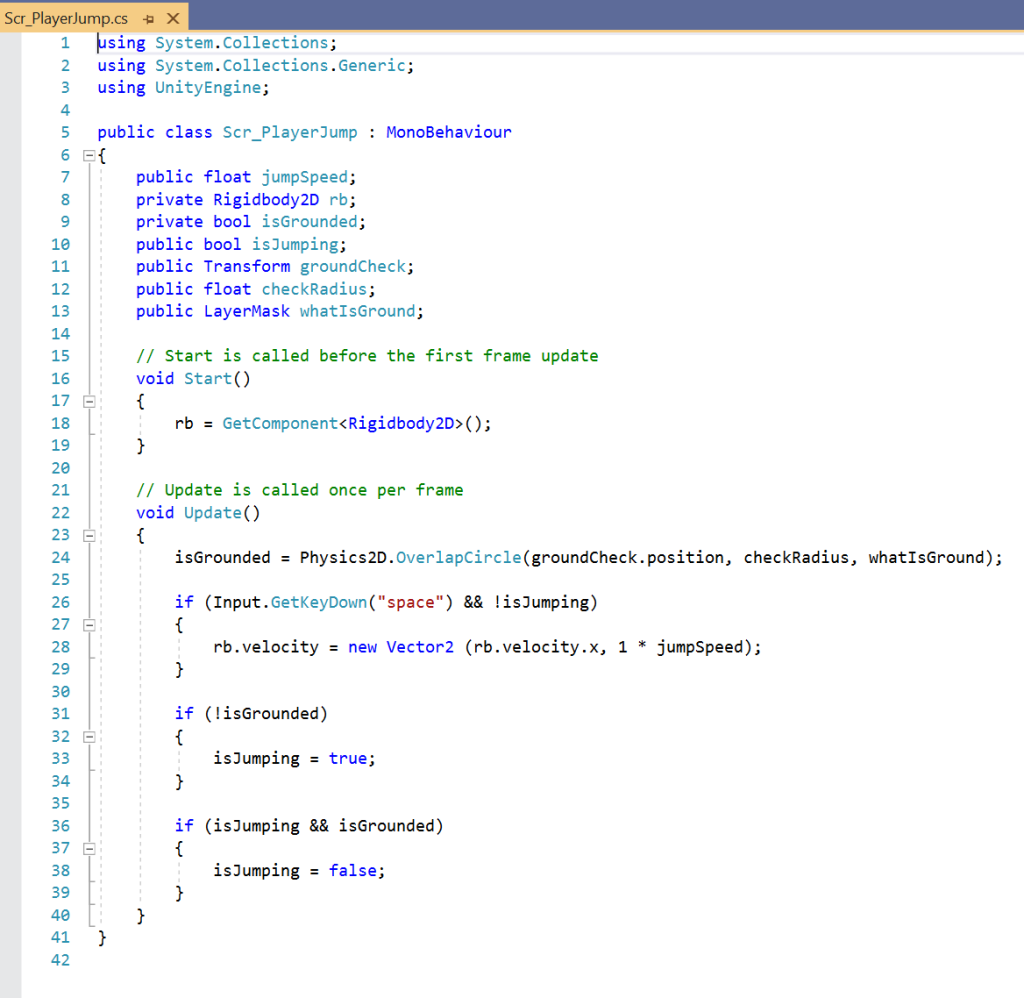
The players character can only jump once, so the game will check if the player is in contact with the ground (platforms) from there the player is allowed to jump once and only when they touch the ground again can they jump again. The variables isGrounded and isJumping use Boolean values of true or false to check if the player has jumped or is still in contact with the platform.
Player Camera:
So, the player could progress the camera needed to be attached to player. This results in the camera following the players movements across the game world with the character remaining in the center of the screen.
Collisions:
There were to collisions I needed to set up, one for when the player jumps on top of the enemy character to destroy them and one when it collides with the spike object or enemy character resulting in the death of the player.
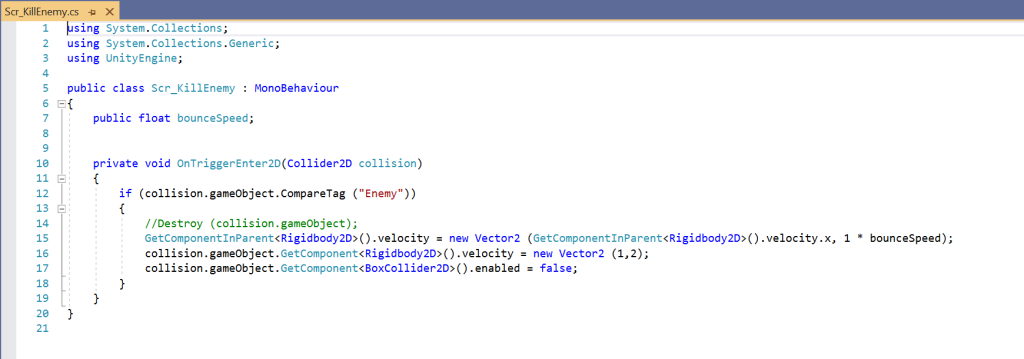
For the enemy character I implemented code that it would be destroyed if it came into contact with the player, but only if the player jumps on top of the enemy character. Like the player character it also has a collider and rigid body components that will detect when the player collides with this object.
If the Player runs into the enemy, the player character will be destroyed. This is attached to the player and checks if they collide with the objects tagged enemy. it will then destroy that object and bounce the player upward slightly. The enemy will spin off into the in front of the player like when Mario stomps on a Gomba.
This script was added to a child of the player character object called isGrounded, this is a capsule collider that is used for jumping to tell Unity when the character has left the ground. This means the player can only jump once. This script is attached to this collider object as it is what will come into contact with the enemy character when you jump on them.
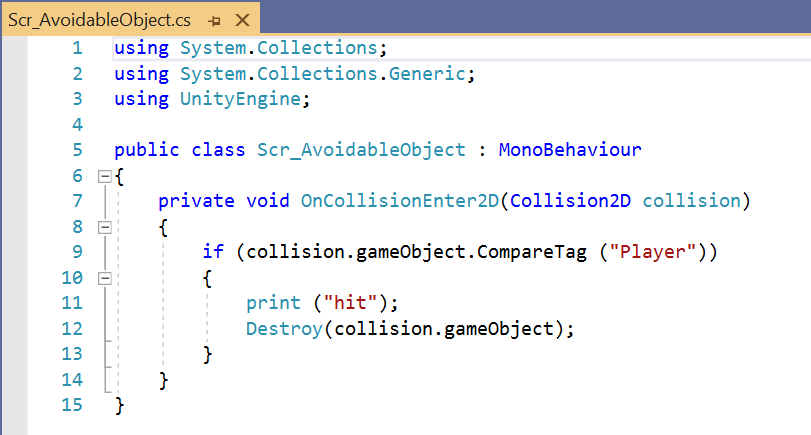
This Script is attached directly to the avoidable object and the enemy object. it sets up a private void function that checks if the player has collided with the object, it has attached too, if so, it destroys the player character, and they have to restart.
FMOD:
Within FMOD I created a looping backing music that I added to the main camera through a FMOD event emitter. Within FMOD I added a lowpass filter and some reverb to the track to give a subtle effect to the track overall.
I then added a multi-instrument object to the player character that has loads of bleep and other similar sounds to act as something that might be going on with the astronauts’ instruments and suit.
Possible Improvements:
Home and Game Over Screen:
I thought it might be cool to add a Main Menu screen to the game and I did start to implement this into my build before i had issues with the player collisions. Basically, rather than the game opening in the playable world it would open with a Menu explaining the controls and prompting the user to press play to start.
This would be quite affective with a game over screen so when the player dies to an enemy object it displays this Game Over screen that allows the user to either play again or exit the game.
Additional Levels:
This could add a level of challenge to the game and allow me to do something more with audio. I would have to add an object in game that when the player reaches it, it changes level.
With the changes in level, I could decrease the number of platforms add more enemies and even change the music, so it becomes more tense and dramatic.
Collectibles:
The addition of collectible coins would add something for the player to do in the game, I could add a UI text box to display the score that links to a variable that increments every time the player collides with this collectible object, the object would disappear, and the score would go up.
I could look at adding events that require a certain amount of these coins to progress to a locked area. but this is something I would have to look into as whilst I did something similar in Unreal, I am unsure as to how it would work in Unity.
Player Death:
At the moment if the player falls off of the platforms and don’t hit one below, they fall into an endless void. I would need to add a line of code that checks if the player has fallen past a certain position and destroys them so the user can restart the game.
Moving Enemies:
I did create some animations for my enemy character that has them facing both left and right. So, I did think that it would be good and an additional challenge for the player if the enemy characters had a set path. I would probably need a few float variables to store positions in the game world that the enemy character could move between, these would have to be different for each enemy as they are in different areas in the game world.